

Check how to import presets Here👇
App Details
Name Lightroom Premium
Playstore Version Adobe Lightroom
Developer Adobe
Category Photo Editing
App Version 10.3.2 Build 711003200
File Size 125Mb
Price Free
Requirements Android 5+
Mod Features Paid / Premium Unlocked
Download Link Mediafire
Extra Features Includes 1000+ Presets
Table of Contents
About the App
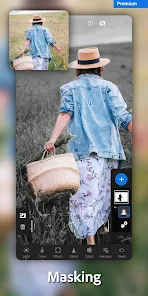
Adobe Lightroom is a professional photo editor that helps you enhance colors, lighting, and tones for stunning visual results. This premium version unlocks all features and tools without requiring a subscription or login.


Changelogs
- All Premium features unlocked
- Improved performance and faster loading
- Removed unnecessary permissions
- Optimized graphics and memory usage
- No ads or tracking
- Crashlytics & Analytics disabled
- Full multi-language support
Mod Info
Details
- Login with Adobe account (optional)
- No watermark
- Premium tools unlocked
- Ultra rendering performance
- All devices supported
- Full professional toolset
Download Presets
How to Input Preset
- Download the preset ZIP above
- Use a file manager (like ZArchiver) to extract it
- Copy the folder 1000+ Lightroom Presets_CDNStreamer
- Paste it into Android/Data/com.adobe.lrmobile/files/carouselDocuments/000xx/Profiles/Settings/UserStyles/
- Open Lightroom → Presets menu → Done!
Warning!
For Xiaomi/Redmi/Poco users: if you see a “risky app” warning, ignore it. All files on CDN Streamer are verified and safe to use.